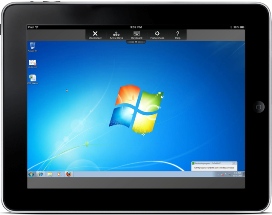
Actually, after one of my friends showed me a pirate version of GoToMyPc’s upcoming Ipad application I first thought that I would throw up a post about it, but then I realized that I have never written a post about GoToMyPc itself.
GoToMyPc is a software solution from Citrix which has been around since 1997. I have only used it for the past four years – and it is now an integrated part of my work-home-life. It is not that it has changed my life, as they say in the ad, but it has made my daily life run more smoothly.
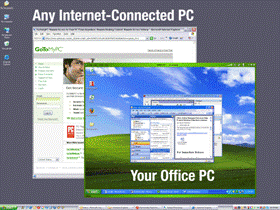
In short, GoToMyPc enables you to access a computer from any place. I use it to access my home computer from work or either my home or office computer when I travel. This way I can access all the programs/software and applications I have on either the computers and recover whetever files I may have forgotten.
To remote access the computer you just have to add a small easy-to-install application to the PC or Mac you are on and connect through your web-browser (e.g. Internet Explorer, Firefox or Safari). It is no struggle and you don’t have to be a geek to get it up running. And even if you should run into a problem they have a nice support to guide you through it.
GoToMyPc gives you a “real time” connecting to your computer. So what you do from a remote distance also happens on the computer – as you do it. You can use short-cuts like copy/paste and drag and drop, just like you already do it on your own computer.
Now many might ask about the security and to be honest, I’m not in any position to judge it. But according to PC World (PCWorld.com), GoToMyPc uses “Advanced Encryption Standard and integrates with two-factor authentication schemes such as SecurID” which should make it as secure as home banking.
So far applications for smartphones and PDAs are already available, while Citrix has promised that they are ready to launch their applications for Ipads and Androids in the first quarter of 2011.
So, who can use this application? Well, pretty much anyone who has the need to access more than one computer during the day – whether it being at work or home – individuals and small and big companies. The cost of GoToMyPc is $19.95/month (or $9.95 with their current discount offer) or you can try it for free in 30 days.
Useful software, but it is bad that your home computer must be turned on. It would be more useful, than you can access your computer if it is turned off. In my way it is not posible because all files should be hosted on server. Rather i use Team viewer.
Exactly, you have right. Here you have been quote one of the latest and very effective data on access my home computer.
My computer and laptop both have remote access capability, however I have yet to use that feature. Even though Verisign is a leader in digital signature verification, I am an old dinosaur and am still skeptical and worried about leaving an open connection to my personal / work files. There may come a day when I may need to bite the bullet and give it a try though.